
Built for reserve life
Never miss a Crew Scheduling call again.
CrewAlarm™ helps protect airline crew from missed Crew Scheduling calls and reserve assignments—with intelligent alerts, powerful wake-up protection, and CrewRules™ Sync.
Built for the reality of reserve life. Designed by an Airline Captain.
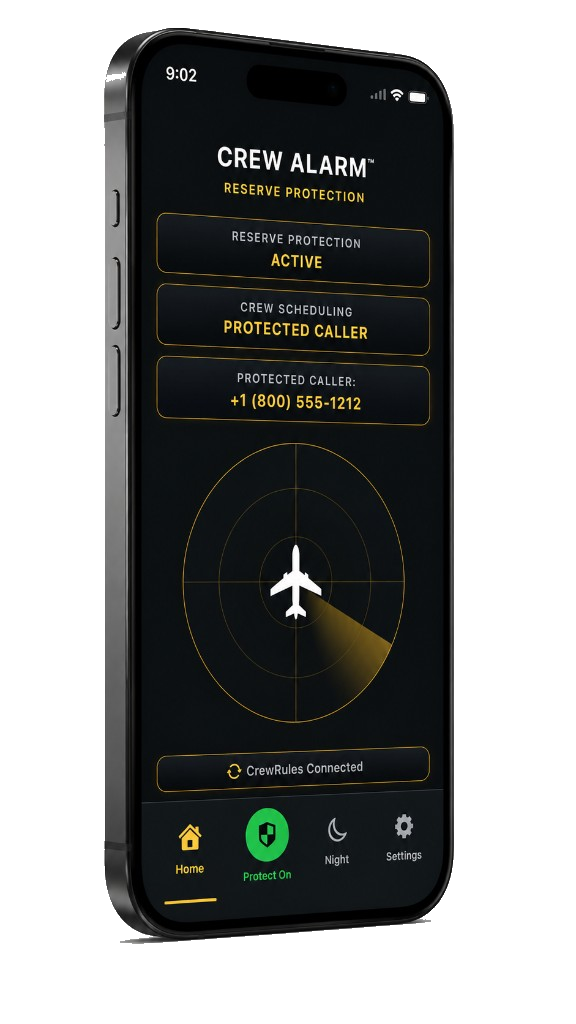
CREW ALARM™
RESERVE PROTECTION
RESERVE PROTECTION
ACTIVE
CREW SCHEDULING
PROTECTED CALLER
PROTECTED CALLER:
+1 (800) 555-1212

FOR PILOTS AND FLIGHT ATTENDANTS
RESERVE PROTECTION THAT NEVER SLEEPS™

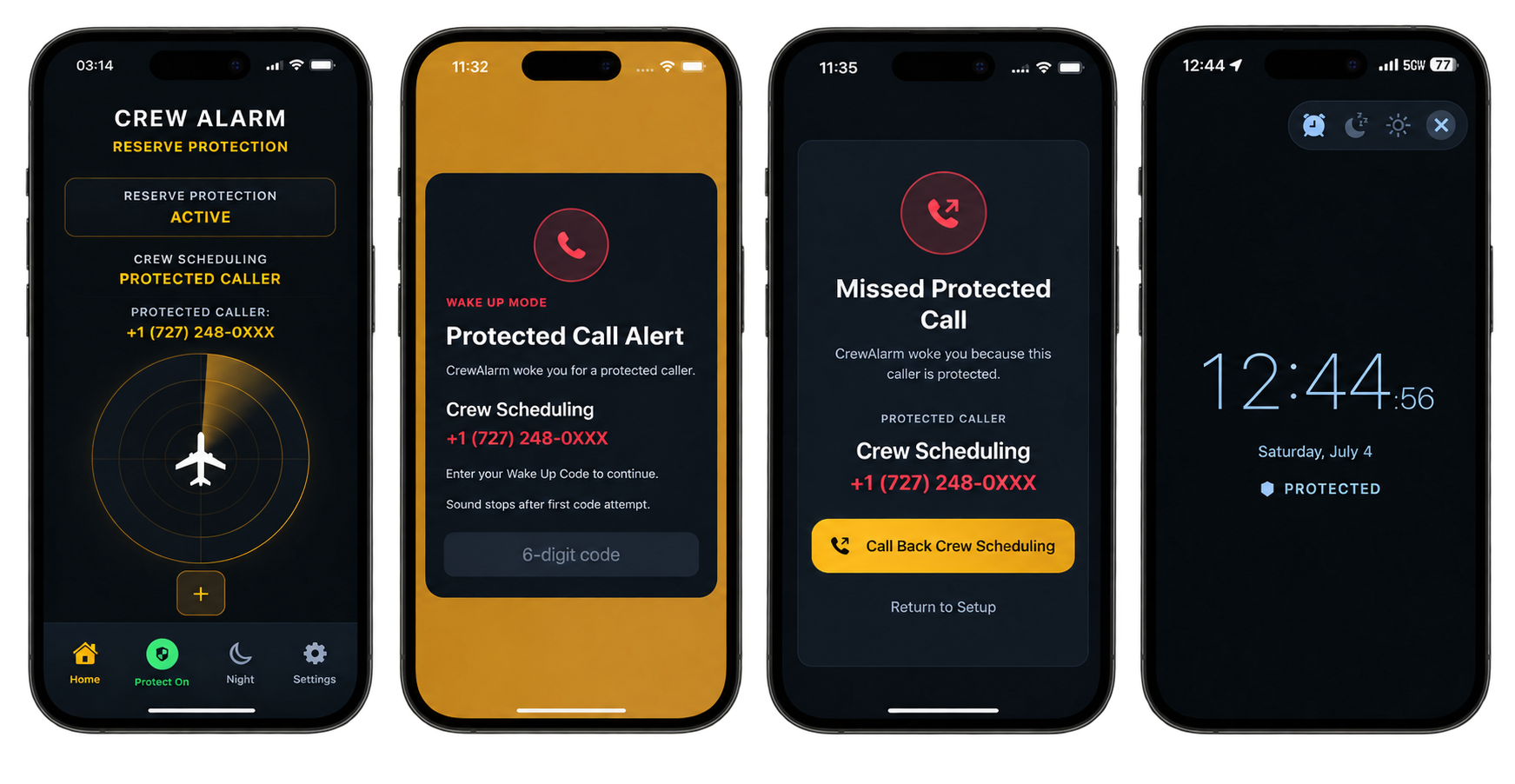
MISSED CALL DETECTION
Detect Crew Scheduling calls instantly — Even if your phone was muted or asleep.

LOUD. BRIGHT. PERSISTENT.
Built to break through sleep, fatigue, and silent mode when the call matters most.
6-DIGIT SECURITY CODE
The alarm stays active until you confirm with a secure wake confirmation that you are awake and responding.

CALL BACK IN ONE TAP
Jump straight to the right number so you can respond in seconds, not minutes.
RESERVE ASSIGNMENT ALERTS
CrewRules™ Sync can alert you before an expected Crew Scheduling call when a qualifying reserve assignment is received.
SLEEP SOUNDS
Fall asleep with built-in sleep sounds while CrewAlarm stays ready to protect you.
When it matters most
Alerts that get your attention.
If you miss a call, Crew Alarm™ makes sure you wake up and take action. Loud. Bright. Impossible to ignore.
Scroll sideways on small screens to see the full flow.
SAFETY FIRST
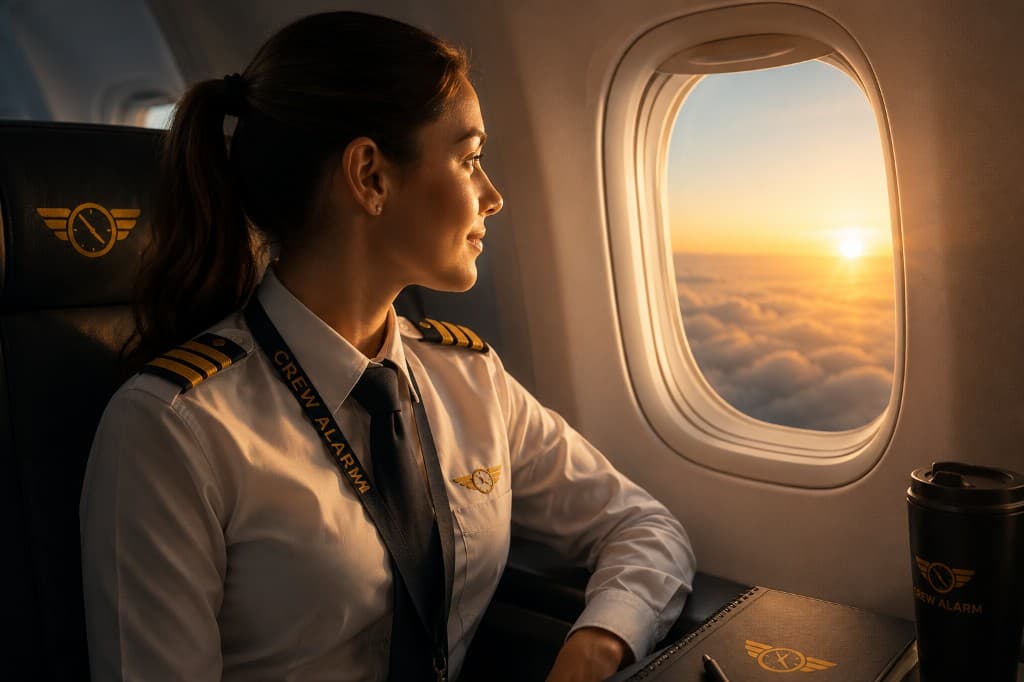
Protect your rest. Protect your career.
CrewAlarm™ helps make sure a missed call does not become a bigger problem.
Reserve protection
built for real crew life.
CrewAlarm™ helps flight crew stay protected from missed Crew Scheduling calls and reserve assignments—with persistent alerts designed around the realities of crew life.
- Know when protection is active with clear, always-visible status.
- CrewRules™ Sync can prepare alerts around qualifying reserve assignments and expected Crew Scheduling calls.
- Assignment alerts stay separate from your normal CrewAlarm alarm—so one never replaces the other.
- Built-in wake confirmation helps make sure an alert isn't accidentally dismissed.
- Sleep Sounds help you rest while CrewAlarm stays ready in the background.
App coming soon
Be first in line when we open the hangar doors.
Crew Alarm™ for iOS and Android is actively being built and tested by working crews.

Frequently Asked Questions
Straight answers about what CrewAlarm™ is building—and what it is not.
Does CrewAlarm™ replace official company notifications?+
No. CrewAlarm™ is a supplemental layer to help you notice scheduling outreach faster. Always follow your operator’s approved communication procedures and manuals.
Will this work on both iOS and Android?+
We are building native experiences for both platforms. Join the beta to get early access and help shape the reserve workflow.
How loud are alerts?+
Alerts are designed to be impossible to miss while you are on reserve, with configurable guardrails so they respect crew rest expectations in your operation.
Who can join the beta?+
Reserve pilots and Flight Attendants are the primary focus of the current beta while we continue refining wake-up reliability, operational alerting, and safety-focused crew workflows.
Can I use CrewAlarm™ as a regular alarm clock?+
Yes. CrewAlarm™ includes a normal wake alarm, so you can use it as a regular alarm clock even when you are not using protected call monitoring. When Protect Mode is off, the alarm works like a standard wake-up alarm.
Does CrewAlarm™ only work with U.S. phone numbers?+
No. CrewAlarm™ supports international phone numbers using country-code formatting, such as +1 for the United States or +49 for Germany. U.S. 10-digit numbers are accepted and normalized, while international users should enter numbers with the correct +country code.
What are Sleep Sounds?+
Sleep Sounds in CrewAlarm™ are designed to help reduce ambient noise while traveling, especially in hotels or unfamiliar overnight environments. They are available as a comfort feature alongside CrewAlarm’s core alarm and protection tools.
What is CrewRules™?+
CrewRules™ is a separate airline crew platform that can securely connect with CrewAlarm™. CrewRules provides operational schedule intelligence and qualifying reserve-assignment information that CrewAlarm can use to prepare alerts on your iPhone.
Do I need CrewRules™ to use CrewAlarm™?+
No. CrewAlarm™ can be used independently for its core alarm and Crew Scheduling call-protection features. Connecting CrewRules™ adds CrewRules Sync capabilities, including qualifying reserve-assignment alerts.
What does CrewRules™ Sync do?+
CrewRules™ Sync allows qualifying reserve-assignment information from CrewRules to create a separate CrewAlarm assignment alert based on the assignment report time, applicable call-out period, and your alert preferences. Your normal CrewAlarm alarm remains separate and is not replaced.
How do I connect CrewAlarm™ to CrewRules™?+
In CrewAlarm™, open Settings to connect CrewRules. When the connection is active, the home screen shows CrewRules Connected. Review CrewRules Sync and related assignment information in CrewRules.
Should CrewAlarm™ replace my normal reserve-call or alarm procedures?+
No. CrewAlarm™ is currently in Beta. Continue using your normal alarm and reserve-call procedures while CrewAlarm and CrewRules™ Sync are validated in real-world operations.